

Trip Status Definitions
Every asset is, at any given moment, in one of three trip statuses: In transit, Parked, or Dwelling. This article defines each status and explains the underlying logic — including how gateway device events and geofences work together to determine which status an asset is in.
Status Definitions
In transit – Asset is on a trip. Begins the moment the asset starts moving, and ends when the asset stops moving and stays stopped past the configured threshold.
Parked – Asset has stopped for a significant period while outside any geofence.
Dwelling – Asset has stopped for a significant period while inside a geofence.
Configurable Threshold
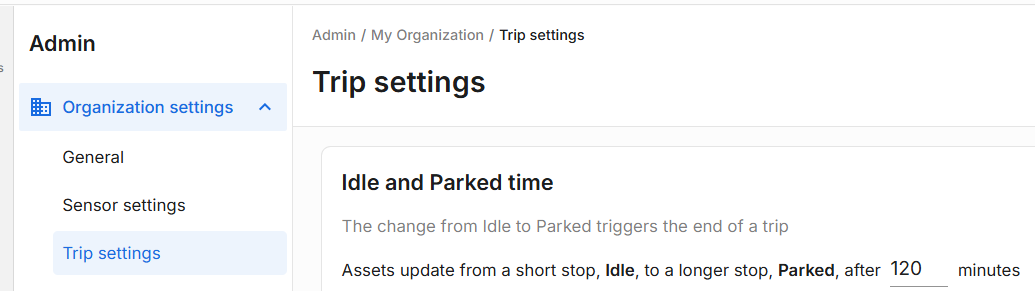
The threshold for leaving "In transit" is configurable per account in Trip settings, with a default of 2 hours.
If the asset is stopped less than 2 hours, it's still In transit.
Once it hits 2 hours stopped, it transitions to either Parked or Dwelling, depending on whether it's inside a geofence.
Admins can adjust this threshold higher or lower as needed.
Daily Totals
For a single asset on a given day, In transit + Parked + Dwelling status times always sum to 24 hours.
How Status Is Determined
The underlying logic for trip status is built on top of on-trip / off-trip events sent by the gateway device. The device itself has configurable thresholds for these events:
On trip typically triggers when the asset has been moving over 5 mph for 60 seconds
Off trip typically triggers when the asset has been at 0 mph for 60 seconds
These are device-level settings and can be configured differently per customer and device deployment.
The platform combines the device's on-trip/off-trip state with the asset's geofence location to determine the actual status shown in Connect1 Horizon:
Device State | Geofence Location | Resulting Status |
|---|---|---|
On trip | Outside Geofence | In transit |
On trip | Inside Geofence | Dwelling (rolls up until the asset crosses the geofence boundary) |
Off trip | Outside Geofence | Parked (once the parked threshold, default 2 hours, has been exceeded) |
Off trip | Inside Geofence | Dwelling |
Note: When an asset starts moving inside a geofence, the device reports it as On trip— but that time doesn't count as In transit until the asset actually crosses the geofence boundary. The next report after crossing (On Trip + Outside Geofence) is what triggers the transition to In transit. Thus, a trip that starts inside a yard geofence will show as Dwelling until the asset physically exits the geofence, even though the device has already flagged it as On trip.